


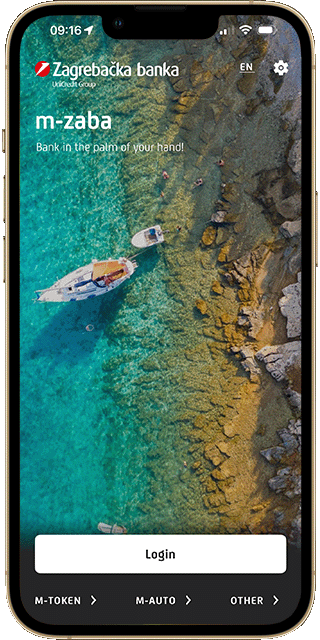
m-zaba

With m-zaba, you can quickly and easily manage your accounts, cards, savings, and loans.

m-zaba logo
Beskontaktno plaćanje No fee for the first 3 months for all new users*

Smart mobile banking at your fingertips

Financial overview

Everything on one screen

In the app, you can get everything done in just a few minutes, with an encrypted connection, biometric authentication, PIN protection, and safeguards against suspicious transactions. And whenever you need a conversation, advice, or a quick solution, we're here for you. By phone. In a branch. Digital when you want it. Personal when you need it.
1

Balance and transaction overview

Check the balances and transaction history of your accounts, cards, savings, and loans in real time.

2

Card activation and PIN check

Activate your card or view your PIN directly in the app, without visiting a branch.

3

m-token

Use m-token for authentication in e-zaba and the e-Citizens system, as well as for transaction approvals.

4

Daily card limits

Adjust daily spending and cash withdrawal limits for all your cards.

5

Updating personal information

Quickly and securely update your personal information by scanning your ID card or changing your address.
LOANS, CARDS, SAVINGS

Everything you would normally visit a branch for can now be done in just a few minutes on your mobile phone

Apply for a cash loan

Take out a cash loan(1) of up to EUR 30,000 through m-zaba.

My borrowing options

Receive an indicative calculation of the potential amount of your housing or cash loan.

Find out which home you can afford

The fastest way to receive an indicative housing loan offer(2) – no appointment, no waiting, no obligation.

Apply for a credit card

Mastercard Standard, Platinum, or go!card(3) - from application to activation without a single piece of paperwork.

Split transactions into instalments

Convert eligible one-time transactions into 2 or 3 instalments(4) if you have an approved instalment payment limit.

Open a savings account

Set up a term deposit in just a few minutes. Change the amount and term whenever you like.

Investments

Your money doesn't have to just sit there – it can work for you

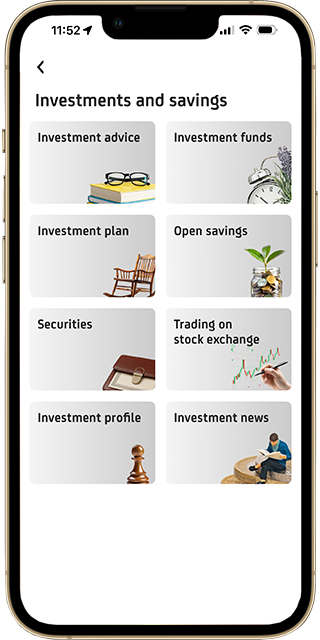
Investing is more accessible than ever. Within m-zaba, you can easily explore and arrange investment solutions without the need to visit a branch.

1

Investment Plan – you decide how much to invest

Set up an automatic investment plan in UniCredit Invest funds. You can change the amount and frequency whenever you wish.

2

Trade on global markets

ZB Trader Global gives you access to shares and ETFs on global stock exchanges, all from a single application.

3

Build a second pension

Voluntary pension funds with a potential government incentive of up to EUR 99.54 per year and tax benefits for employers.

4

Term deposits

Predictable returns with protection from the Croatian Deposit Insurance Agency for deposits up to EUR 100,000.

5

IPOs / Public Offerings

Participate in public securities offerings completely digitally via m-zaba!

Not sure where to start?

Start a conversation with an investment advisor directly from the app. No cost. No obligation.

How to get m-zaba?

1

Arrangement

You can arrange m-zaba in a Bank branch or digitally.

If you are not yet a Zagrebačka banka client, download the m-zaba app and digitally arrange an account and service package to enjoy the benefits of digital banking.

2

Installation

Download the application via the Google Play, the App Store or the App Gallery:

3

Activation

After you download the app, you need to activate it by entering the identification and activation keys. After that, you need to choose a PIN for the future use of m-banking and m-token.

* Clients who are contracting m-zaba for the first time or who have not contracted m-zaba in the last 12 months are exempt from paying the fee for contracting/activating and using m-zaba during the first 3 months of use. Visually impaired and blind people do not pay a fee for contracting/activating and using m-zaba.

1Representative example: With a fixed annual interest rate of 4.99%, a repayment period of 84 months, annuity repayments including one month's euro current account maintenance fee and credit payment protection insurance (CPI), and no loan processing fee, the Annual Percentage Rate of Charge (APRC) for a EUR 10,000 loan is 6.45%. The monthly annuity amounts to EUR 141.30, and the total amount payable by the client is EUR 12,331.53.

2Issuing an indicative offer confirms that, on the date of issuance, the client meets the prerequisites for submitting a housing loan application with Zagrebačka banka. Approval of a housing loan based on the issued offer may only be granted with the mutual agreement of Zagrebačka banka d.d. and the applicant, provided that the applicant supplements the loan application with the required documentation and collateral instruments in accordance with the Bank's lending conditions applicable at the time of approval.

Representative example of a housing loan secured by real estate: For a loan amount of EUR 100,000, with a combined interest rate (fixed for the first seven years at 2.79% per annum and variable thereafter at 2.79% per annum), consisting of a fixed component of 0.64% plus the 6M EURIBOR (the variable component applicable on 2 February 2026, amounting to 2.154%), a repayment term of 30 years (360 monthly annuities), annuity repayments including property insurance against fire, borrower accident insurance, and one month's euro current account maintenance fee, the APRC is 3.10%. The monthly annuity for the first seven years is EUR 410.37, thereafter EUR 410.37, and the total amount payable by the client is EUR 152,925.32.

Representative example of a housing loan secured by real estate: For a loan amount of EUR 100,000, with a fixed interest rate of 3.29%, a repayment term of 30 years (360 monthly annuities), annuity repayments including property insurance against fire, borrower accident insurance, and one month's euro current account maintenance fee, the APRC is 3.61%. The monthly annuity amounts to EUR 437.41. The total amount payable by the client is EUR 162,714.90.

3Representative example: With a fixed annual interest rate of 6.79%, a repayment term of 36 instalments, and no loan processing fee, the effective interest rate for an approved revolving credit amount of EUR 700 is 7.02%. Monthly instalments range from EUR 19.55 to EUR 23.48, and the total amount payable is EUR 773.37.

4Transactions eligible for instalment conversion are specially marked in m-zaba. Eligible transaction amounts range from EUR 30 to EUR 300, with a fee of EUR 1.32 per instalment.

To use m-zaba, you need a mobile device with Internet access, enough available memory to store the application and a specific operating system:

  • iOS with minimum version 13.0, and recommended 16.0 or later
  • Android minimum version 7.0, and recommended 12.0 or later
  • HarmonyOS minimum version 1.0.

m-zaba cannot work on versions of operating systems lower than the minimum, and the full functionality of m-zaba on versions lower than the recommended ones depends on the specific settings of the manufacturers of individual mobile device models.

m-zaba is available to you on all mobile networks and from any place where you can establish communication with your mobile device.

You need to:

  • arrange the service
  • install the m-zaba application on your mobile device
  • activate the application.

You can contract the service in a branch.

Please make sure that the mobile data on your mobile device are turned on.

Depending on which mobile device you are using, open the Apple Store, Google Play Store or App Gallery. By selecting the magnifying glass icon, enter the name of the application "m-zaba". When the required application appears, first select it in the search result and click on "Install".

After downloading the application, activate it by entering the identification and activation key. After entering the identification and activation key, it is necessary to enter and confirm the PIN that you will use when working with m-zaba.

You create the PIN yourself, it should be known to you only  and we recommend that you keep it secret.

If you deleted m-zaba from your mobile device, changed your mobile device or locked the application, you need new identification and activation keys. Request them by calling 01 3789 785 or in the branch.

In case you want to use an already activated m-zaba on a mobile device on which you have not used it before, the following steps must be taken:

  • Prepare the mobile device on which you are currently using m-zaba and the new one on which you have already installed the application.
  • Log in to the app on your old device and select the More menu and then the Settings option.
  • Select the “Transfer m-zaba to a new device” option.
  • Follow the steps after which a screen with a QR code for activating m-zaba on the new device is displayed.
  • Start m-zaba application on the new mobile device to which you want to move the application.
  • Scan the QR code with the camera on the new device.
  • Enter and confirm the PIN that you will use to log in to m-zaba on the new device.
  • After the successful activation message, your m-zaba is activated on the new and deactivated on the old mobile device.

Due to the applied technology solutions, the cost of data traffic when using m-zaba is reduced to a minimum. Internet is charged according to the amount of transferred data (data traffic), and when you use m-zaba, the minimum amount of data is transferred. The price of data traffic depends on your mobile network operator. Also, most mobile network operators offer special options within which the price of data traffic is lower than the standard price. We recommend the activation of these options primarily for the purpose of downloading the application, when the highest data traffic is realized. 

This is a mobile payment option which you can use to pay your bills in an easier, faster and more convenient way with the help of your phone camera. Launching the m-foto pay service and selecting the account for payment automatically activates your mobile device camera. You need to scan the 2D code, QR code or data from the payment slip (when there is no 2D and QR codes) using your camera, after which the payment order is automatically filled out.

This way you save time because you no longer need to manually enter data from the payment slip.

m-foto pay and fast scan are m-zaba services which make payments faster and simpler. Both services are based on scanning data using your phone camera.
m-foto pay enables you to pay payment slips by scanning a 2D bar code, QR code or the slip itself (stub) if it does not contain a 2D bar code, after which all the data necessary for making the payment will be transferred to m-zaba. With m-foto pay, paying your utility bills is only a matter of seconds.
fast scan enables you to make payments by scanning documents other than payment slips (e.g. various invoices). Instead of entering the IBAN, amount, reference number and so on, you only have to scan each entry with your phone camera after which all the data will be transferred to m-zaba.

Older mobile devices with the Android operating system do not support the m-foto pay service because they do not meet the minimum requirements for the use of it. To make the service work on your mobile device, it needs to be equipped with:

  •  a camera with autofocus
  •  a video preview camera resolution: 480x480.

That is a function of m-banking which enables an even simpler transfer of money between you and other users of m-zaba. Send the IBAN in the form of a 2d barcode (by email, Viber, social networks…) to the person from whom you expect a payment (and who also uses m-zaba), or show the IBAN to this person on the screen of your mobile phone. They need to retrieve the received code via the m-foto plati service in their m-zaba and enter the agreed amount and you can see the money on your account immediately after the payment.

All data exchanged between m-zaba and the Bank is protected by an encrypted connection, and access requires a PIN. PIN and business relationship data are not stored in the mobile device. By activation of m-banking a software token is installed in the mobile device, which guarantees the security of using the service.

The PIN entry is protected from unauthorized recording with a keyboard with a random display of numbers for entering the PIN. The bank does not have access to your PIN, does not save it and will never ask you for it. Also, the Bank will never ask you to enter your PIN more than once. The PIN should be known only to you.

After multiple successive entries of the wrong PIN, m-zaba is automatically locked. Also, after three minutes of non-use, m-zaba will automatically log you out.

To change your PIN, you need to log into m-zaba, select More in the main menu at the bottom of the screen. After that choose Settings and finally Security.

After three minutes of inactivity, m-zaba automatically turns off. You need to re-enter your PIN to restart the application. This time of activity of m-zaba enables a multitasking mode, e.g. copying of the recipient’s account number from the mail application into the order form, and the like.
If you want to make sure that the application is inactive, select “Log out” or remove m-zaba from the list of applications running in the background immediately after you exit the application. The application is immediately locked and you need to enter your PIN to re-open the application.

Report the loss or theft of the mobile device you use to access m-zaba to the Bank by calling 01/3789 888.

The PIN for access to m-banking and m-token should be known to you only, so in case of theft or loss of the mobile device, it cannot be misused.